Posts

Showing posts with the label Security

AEM Security in the Age of AI

Image
  AEM Security in the Age of AI: New Threats & How to Defend Against Them Introduction AI is changing the security landscape for AEM deployments in two important ways. First, attackers are using AI to make their attacks smarter — faster credential scanning, AI-generated phishing payloads, and automated vulnerability probing. Second, as AEM teams integrate AI features (chatbots, content generation, RAG pipelines), they introduce a new class of vulnerabilities that didn't exist before. In this post, we'll cover both: how to harden your existing AEM setup against AI-powered attacks, and how to secure the new AI integrations you're building.             1. Prompt Injection — The New XSS If you've built a chatbot or AI assistant on top of AEM content (like the RAG pipeline from our previous post), prompt injection is your biggest risk. It's the AI equivalent of XSS — an attacker embeds malicious instructions inside content that your AI system the...

How to prevent DDoS in Apache ?

Image
Prevent DDoS in Apache & IP Block Automation DDoS (Distributed Denial of Service) attacks are a type of cyberattack that can cause serious damage to your web server. These attacks involve flooding your server with a huge volume of traffic, overwhelming its resources and causing it to crash. In this blog post, we'll discuss how to prevent DDoS attacks in Apache, without using any third part tool/application.     Available Options to Prevent DDoS : You can use various mentioned methods to achieve the same. But using WAF, CDN, etc will cost extra dollars. Which might not be necessary for a small scale application.   Use a Web Application Firewall (WAF): A WAF can help detect and block malicious traffic before it reaches your Apache server. It can also help block common attack vectors, such as SQL injection and cross-site scripting (XSS). Install mod_evasive: mod_evasive is an Apache module that helps detect and block DDoS attac...

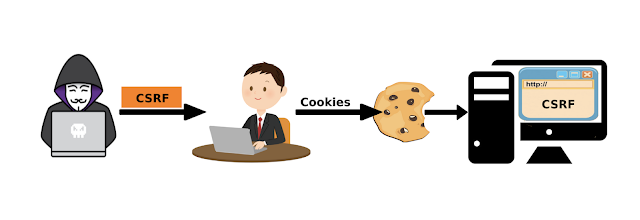
How to protect AEM against CSRF Attack ?

Image
How to protect AEM against CSRF Attack ? Adobe Experience Manager (AEM) is a popular content management system that is widely used to develop and manage websites, mobile apps, and other digital experiences. However, like any other web application, AEM is vulnerable to cross-site request forgery (CSRF) attacks. CSRF attacks are malicious attacks where an attacker tricks a user into performing an action they did not intend to perform by exploiting the user's active session on a website. In this blog, we will discuss some measures that can be taken to protect AEM from CSRF attacks.   Implement CSRF protection in AEM:   The first and most important step to protect AEM from CSRF attacks is to implement CSRF protection in the application. AEM provides a built-in CSRF protection mechanism that can be enabled by setting the "sling.filter.methods" property in the OSGi configuration.  Navigate to the OSGi Web Console (/system/console/configMgr). Search for Apache Sling Refe...

How to Configure CSP header in AEM , Dispatcher ?

Image
How to Configure CSP header in AEM ? Content Security Policy (CSP) is a security feature that helps prevent cross-site scripting (XSS) and other code injection attacks by restricting the sources from which a page can load resources. To implement a CSP header in an Apache web server, you can use the Header directive in your Apache configuration. Here are the steps to implement a CSP header in Apache: Determine your CSP policy: First, you need to determine your CSP policy. This policy defines the rules for what types of content can be loaded from which sources. You can use a CSP policy generator like the one available on the Mozilla Developer Network (MDN) website to generate a policy that meets your needs. Add the CSP header to your Apache configuration: Once you have your CSP policy, you can add the CSP header to your Apache configuration. To do this, open your Apache configuration file (usually located at /etc/httpd/conf/httpd.conf or a similar location depending on your setup) and ...